IP over Avian Carriers (Part 12/12) 🕊️
Paul Tagliamonte 2026-09-08 diyThe final step to all of this was to tie together all my PHY RF code, Link layer parsers, and my background with operating systems to make this all feel like a normal thing my computer should be doing.
At the end of the day, I want my host system to know how to talk with a
pigeon daemon, so I don’t have to reimplement basically everything else.
My ability to use normal tools like curl or ping6 is pretty important
here, so I need to reach for my old friend, the
TUN interface. The
TAP/TUN interface allows the kernel to route ethernet frames (TAP) or ip
packets (TUN) to a userspace program responsible for handling delivery and
reception – avoiding the need for a kernelspace driver for something that
can be handled in userland.
I’m no stranger to
playing with TAP/TUN, so this was pretty easy to snap together – although this
time I avoided the whole ethernet proxying thing (to side-step lossy
translations, maintaining two sets of mac address tables, and handle proxying
NDP/ARP messages) – it was kinda a bad idea last time – so I just used TUN
and straight IP for now. While implementing this, I decided I’d make a key
assertion about all pigeon networks – namely, all pigeon IPv6 networks are a
/64 in size, no more, no less. The reason why I’m doing this here is that,
since pigeond does still does need a MAC address for the pigeon layer 2
protocol, we can write our daemon to always use
SLAAC
to set the TUN IP address without any new information.
Which leads us to a bit of an aside, but I have a point, I swear. A few years ago, my recreational RF adventures have lead me down a path where I decided to engage with ARIN to solve (once and for all) the massive headache I was running into with IPv6 numbering (really: always renumbering) my multi-site radio processing networks. It’s a lot of work to keep running correctly, but it’s solved a huge amount of problems for me.
The only “internal” thing we really need to outline for this post is that, at
the highest level, my network (paultag.net) is split into an IP plan that
looks roughly like:
| Prefix | Description |
| /44 | my full allocation of IP space |
| /48 | 15 "regions" |
| /54 | 64 "sites" per region. A "site" is assigned to a physical or logical location. |
| /64 | 1024 subnets per site. A subnet used by directly attached devices. |
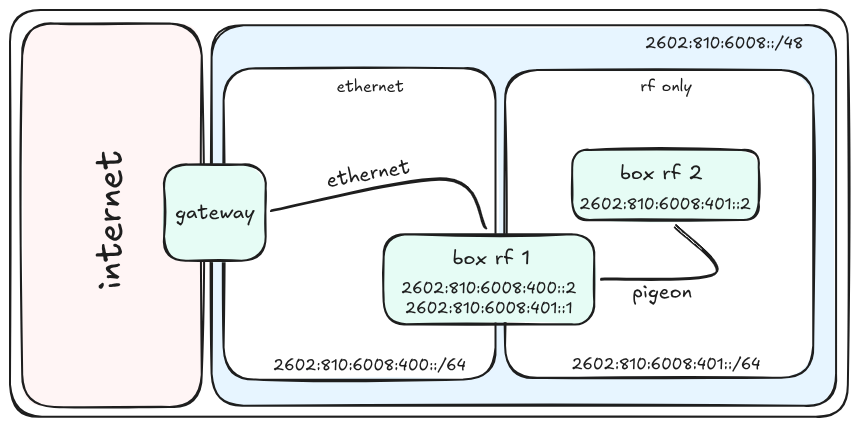
For this exercise, I used IP space from paultag.net’s experimental region
(“region 8”), named side.band (2602:810:6008::/48) to connect my RF lab
(“site 1” - 2602:810:6008:400::/54), and my two pigeon-specific subnets,
“subnet 0” (2602:810:6008:400::/64) and “subnet 1” (2602:810:6008:401::/64)
to my wider network. The first subnet (“subnet 0”) is a simple ethernet network
to enable my RF-only nodes to communicate with the side.band gateway. The
second subnet (“subnet 1”) is an RF-only pigeon network local to my lab.
back to radios
With all that set up, I assigned my first two nodes their MAC addresses, and set up the local RF only network segment. The nodes I brought online were the following:
| Callsign | IP |
K3XEC/MN | 2602:810:6008:401:8e1f:64ff:fe35:4001 |
K3XEC/TH | 2602:810:6008:401:8e1f:64ff:fe35:4002 |
testing the pigeon network
And with that, I could begin to test that the host operating systems and RF
links could properly exchange data locally from SDR to SDR. We can use
ping6 to see if a plain-ole ICMPv6 ping round trips between hosts correctly:
$ ping6 2602:810:6008:401:8e1f:64ff:fe35:4001
PING 2602:810:6008:401:8e1f:64ff:fe35:4001 (2602:810:6008:401:8e1f:64ff:fe35:4001) 56 data bytes
64 bytes from 2602:810:6008:401:8e1f:64ff:fe35:4001: icmp_seq=1 ttl=64 time=426 ms
64 bytes from 2602:810:6008:401:8e1f:64ff:fe35:4001: icmp_seq=2 ttl=64 time=397 ms
64 bytes from 2602:810:6008:401:8e1f:64ff:fe35:4001: icmp_seq=3 ttl=64 time=419 ms
64 bytes from 2602:810:6008:401:8e1f:64ff:fe35:4001: icmp_seq=4 ttl=64 time=418 ms
64 bytes from 2602:810:6008:401:8e1f:64ff:fe35:4001: icmp_seq=5 ttl=64 time=436 ms
64 bytes from 2602:810:6008:401:8e1f:64ff:fe35:4001: icmp_seq=6 ttl=64 time=391 ms
64 bytes from 2602:810:6008:401:8e1f:64ff:fe35:4001: icmp_seq=7 ttl=64 time=397 ms
And it does! Latency is horrid (and there’s a bunch of tx artifacts that cause issues for us) – but both of those things are problems for later. Let’s see how it handles a TCP connection by firing off a quick cURL across the Pigeon network:
$ curl http://[2602:810:6008:401:8e1f:64ff:fe35:4001]:8000/testing.txt
The rock dove (Columba livia), also known as the common pigeon or rock pigeon
(but see also Petrophassa), is a member of the bird family Columbidae (doves
and pigeons).
As expected, our “remote” end here running the server reports the correct peer IP address, which is another indication (beyond the log messages and blinking LEDs) that we’re routing over our TUN interface.
Serving HTTP on 2602:810:6008:401:8e1f:64ff:fe35:4001 port 8000 (http://[2602:810:6008:401:8e1f:64ff:fe35:4001]:8000/) ...
2602:810:6008:401:8e1f:64ff:fe35:4002 - - [28/May/2026 12:53:21] "GET /testing.txt HTTP/1.1" 200 -
That … worked? First shot! Nice! It’s pretty slow and seems like we have a lot of packet loss, but it does, however, beg the question – can it nethack?
nethack!
Yes! It can nethack! No clickbait here. The way I went about this one is a bit
anit-cimatic – I set up a nethack server (using inetd in this case) on one
of the hosts’ pigeon0 network interface, and hit that port over RF from
the other:
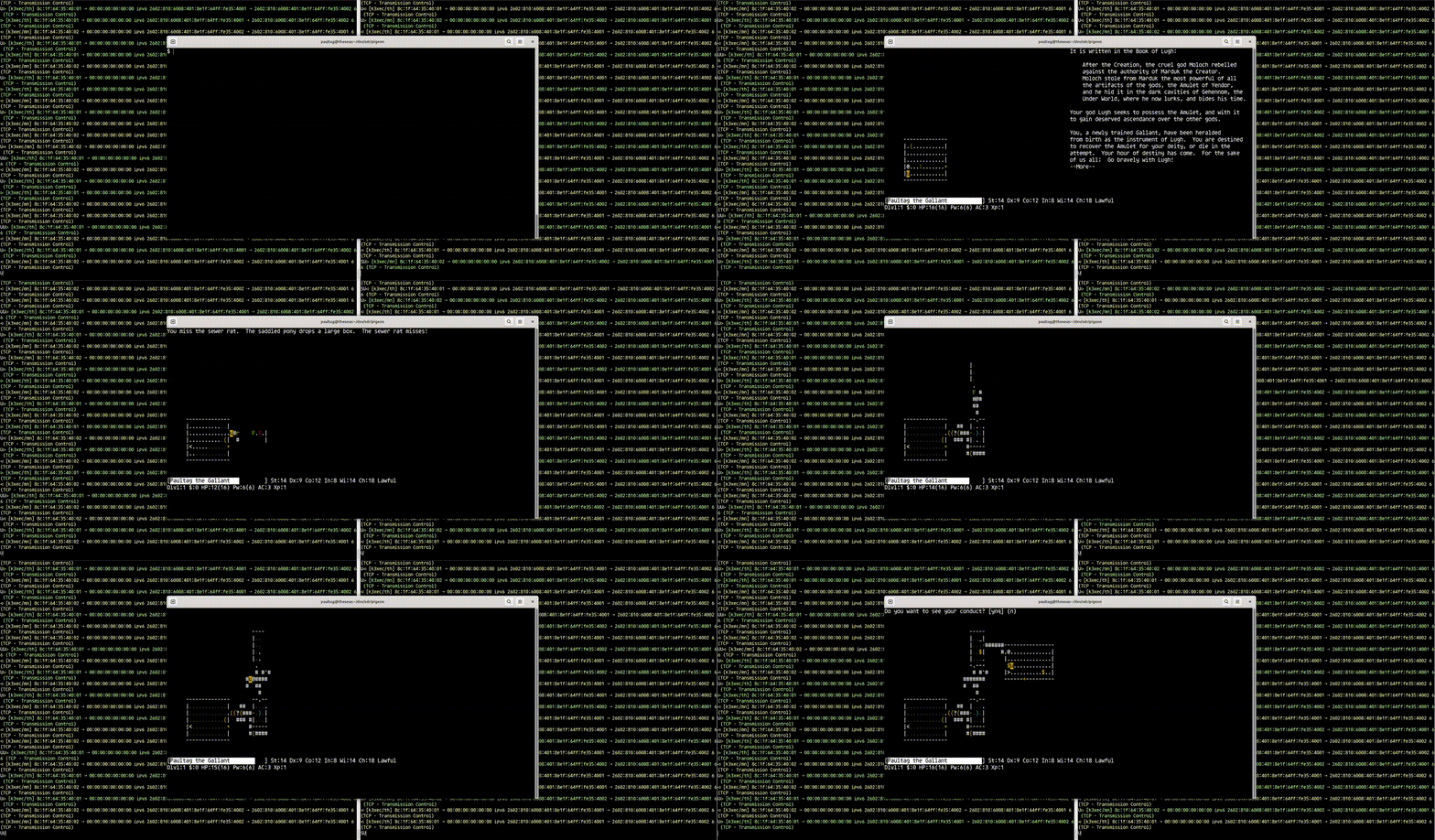
However, when playing it, it becomes very obvious (as you can likely see) that there’s a fair amount of packet loss (understandable) and probably some packet collisions taking place.
iperf
Let’s try and put a number to exactly how bad the bandwidth and packet loss
is by running iperf between the two pigeon hosts over rf:
$ iperf -c 2602:810:6008:401:8e1f:64ff:fe35:4002
------------------------------------------------------------
Client connecting to 2602:810:6008:401:8e1f:64ff:fe35:4002, TCP port 5001
TCP window size: 16.0 KByte (default)
------------------------------------------------------------
[  1] local 2602:810:6008:401:: port 58248 connected with 2602:810:6008:401:8e1f:64ff:fe35:4002 port 5001
[ ID] Interval       Transfer     Bandwidth
[  1] 0.0000-20.2348 sec  76.8 KBytes  31.1 Kbits/sec
Shockingly, not nearly as bad as I thought it was going to be. Given I’ve spent exactly zero time making this operate to a level that I would call acceptable, this is a very fucking solid start. I expect I could get that number up if I spent a few weeks on it – it’s just not been a priority at any point yet (and the first time I’ve instrumented it, even!).
This’ll be good enough to get started. Let’s see what else we can pull off here.
IP multicast to some rtl-sdrs
Back when I designed what I wanted Mode A to
look like, I intentionally picked a signal bandwidth that could be received
by an rtl-sdr – so let’s put that to use. It may go without saying,
but just to say it – the rtl-sdr can not transmit, so this will be capable
of receiving pigeon frames – but not sending any in reply.
However, this means I can use a bunch of low-cost computers (raspberry pi-class), and low-cost SDRs (rtl-sdr) and still receive IP traffic from transmitting pigeon network stations. This could be a lot of fun for things like fountain coding a data stream, or adapting multicast streaming protocols to work over RF links. Anywho, I swapped my “far” end to an rtl-sdr (one config file change!), and figured I’d start with some (basic) multicast traffic, transmitting the time once a second:
$ while [ true ]; do
  echo $(date +%s) \
    | socat - UDP6-DATAGRAM:[ff02::114%pigeon0]:62804
    sleep 1
done
If I had more time to burn, I was planning on bridging APRS traffic to UDP multicast within a pigeon network subnet. However, since I’m already 4 years late on this blog post, I figured this would be enough for now (and you can imagine that fun project in this space if you so wish!)
I fired up pigeond again (except this time connected to an rtl-sdr),
and was pleasantly surprised to be greeted by some decoded traffic right
off the bat:
⪧ [k3xec/mn] 8c:1f:64:35:40:02 ⇢ 00:00:00:00:00:00 ipv6 fe80::23ee:2969:53f7:b332 ⇢ ff02::114 17 (UDP - User Datagram)
⪧ [k3xec/mn] 8c:1f:64:35:40:02 ⇢ 00:00:00:00:00:00 ipv6 fe80::23ee:2969:53f7:b332 ⇢ ff02::114 17 (UDP - User Datagram)
⪧ [k3xec/mn] 8c:1f:64:35:40:02 ⇢ 00:00:00:00:00:00 ipv6 fe80::23ee:2969:53f7:b332 ⇢ ff02::114 17 (UDP - User Datagram)
⪧ [k3xec/mn] 8c:1f:64:35:40:02 ⇢ 00:00:00:00:00:00 ipv6 fe80::23ee:2969:53f7:b332 ⇢ ff02::114 17 (UDP - User Datagram)
Of course, I took a tcpdump to confirm for completeness sake that the
traffic actually made it out of our TUN interface:
$ tcpdump -i pigeon0
22:39:34.808705 IP6 (flowlabel 0x92a0e, hlim 1, next-header UDP (17), payload length 19) fe80::23ee:2969:53f7:b332.35911 > ff02::114.62804: [udp sum ok] UDP, length 11
22:39:36.429887 IP6 (flowlabel 0x4dc84, hlim 1, next-header UDP (17), payload length 19) fe80::23ee:2969:53f7:b332.50026 > ff02::114.62804: [udp sum ok] UDP, length 11
22:39:39.365977 IP6 (flowlabel 0x224d5, hlim 1, next-header UDP (17), payload length 19) fe80::23ee:2969:53f7:b332.36308 > ff02::114.62804: [udp sum ok] UDP, length 11
22:39:40.944889 IP6 (flowlabel 0x4721c, hlim 1, next-header UDP (17), payload length 19) fe80::23ee:2969:53f7:b332.35003 > ff02::114.62804: [udp sum ok] UDP, length 11
Looks great! tcpdump is showing multicast packets show up (as we assumed they
would), on the pigeon0 interface, on the machine connected to an rtl-sdr. Of
course, any replies will get sent to the
bit bucket, but it can definitely
decode things just fine! Very fucking cool.
Well right, ok! Let’s go back to two rx/tx radios, and see what we can do with our newfound network stack over ham radio frequencies – let’s try to do some fun (and traditional!) ham radio things with it!
Winlink
Winlink is a ham radio mail relay system for ham radio
operators to send, receive or relay mail over the internet, or RF (usually HF
or VHF/2M). Winlink relays are accessible via whatever transport you can
find – most commonly telnet (using the internet), ax.25 (usually 2m VHF)
or VARA HF (unsurprisingly, on HF). I use pat as my
Winlink client – it’s written in Go, doesn’t require windows, and is just
generally nice to work with.
Let’s try the easy thing first – let’s connect by proxying the Winlink server
into the pigeon network using socat (lightly edited to remove date/times)
$ pat connect pigeon
Connecting to WL2K (telnet)...
Connected to [2602:810:6008:401:8e1f:64ff:fe35:4002]:8772 (tcp)
[WL2K-5.0-B2FWIHJM$]
;PQ: 54509561
CMS>
>FC EM OLU6BP5HKMG2 240 205 0
>F> 95
FS Y
Remote accepted OLU6BP5HKMG2
Transmitting [Hello, World] [offset 0]
Hello, World: 100%
FF
>FQ
Disconnected.
$
Lo and behold, shortly after, I got this delightful message to my email address, relayed in from WINLINK:
From: K3XEC@winlink.org
Reply-To: K3XEC@winlink.org
Subject: Hello, World
To: paultag@[...]
Message-ID: <OLU6BP5HKMG2@winlink.org>
MIME-Version: 1.0
X-MARSPrecedence: Routine
X-WL2KPrecedence: Routine
Content-Type: text/plain
Content-Transfer-Encoding: 8bit

Hello, World!
The only shame is I won’t be able to check in to a winlink wednesday using this scheme unless I further proxy this message over AX.25 instead of relaying to Winlink’s servers over telnet (which, to be fair, is definitely also possible – I just got lazy when I glued this one together – see note above about being 4 years late on this post).
But, you know, connecting to a host that is using socat to proxy a
connection to an internet resource is interesting but – you know what, fuck it
– hang on, dear reader – let’s bang a hard left turn and just ship this thing
hard and directly connect it to the internet. Let’s take our dinky,
home-built PHY and Layer 2 and see if we can wire it directly into the internet
– something that, every time I go to think about it, reminds me of
Tim FitzHigham and his crapper.
Crossing the english channel in a bathtub
Ok, ok. I decided to bury the lede a bit here – I didn’t mention that the
side.band network is currently
BGP announced. Although we
haven’t used it – this does mean that we’re most of the way to sending packets
to the wider internet, and we should be able to “just” fix a few routing
tables, and see packets begin to flow.
After tweaking the local routing tables (and restarting pigeond for good
measure), I decided to test my newfound connectivity by pinging something over
our new network transport.
ping github
Why don’t we start with the world’s premier software engineering platform, operated by one of the largest companies in the world, GitHub! After all, they have an all knowing (and, apparently, arguably sentiant?) AI on hand to instantly and automatically fix any stray reliability issues in the background, so we should definitely see replies right off the bat:
$ ping6 github.com
ping6: github.com: Address family for hostname not supported
Wait, oh no – that can’t be right?
After all, it’s 2026, and both Google and CloudFlare (in North America) are reporting over half of all traffic they see is IPv6 – and GitHub still doesn’t support IPv6? Definitely not, this is for sure a bug with my code or network.
lets ping something that supports ipv6 instead
That being said, just for completeness sake, since that error is also given when there’s no IPv6 DNS record, let’s go ahead and double check with Hurricane Electric too, you know, just to be sure.
$ ping6 he.net
PING he.net (2001:470:0:503::2) 56 data bytes
64 bytes from he.net (2001:470:0:503::2): icmp_seq=1 ttl=53 time=514 ms
64 bytes from he.net (2001:470:0:503::2): icmp_seq=2 ttl=53 time=230 ms
64 bytes from he.net (2001:470:0:503::2): icmp_seq=3 ttl=53 time=248 ms
64 bytes from he.net (2001:470:0:503::2): icmp_seq=4 ttl=53 time=246 ms
64 bytes from he.net (2001:470:0:503::2): icmp_seq=5 ttl=53 time=265 ms
64 bytes from he.net (2001:470:0:503::2): icmp_seq=6 ttl=53 time=240 ms
Well, shit. Right, OK, i’ll be damned. 18 years in and GitHub still can’t crack that nut.
cURL works!
Right, anyway, yes, back on track – good news! Our uplink is up and routing,
and wait, holy shit! Check it out! pigeon is
exchanging packets with the internet and no one is any the wiser!
Literlaly amazing. Let’s try a cURL across the internet now (although no
TLS allowed, so, http only for now):
$ curl -6 -I http://facebook.com
HTTP/1.1 301 Moved Permanently
Location: https://facebook.com/
Content-Type: text/plain
Server: proxygen-bolt
Connection: keep-alive
Content-Length: 0
IRC works, too
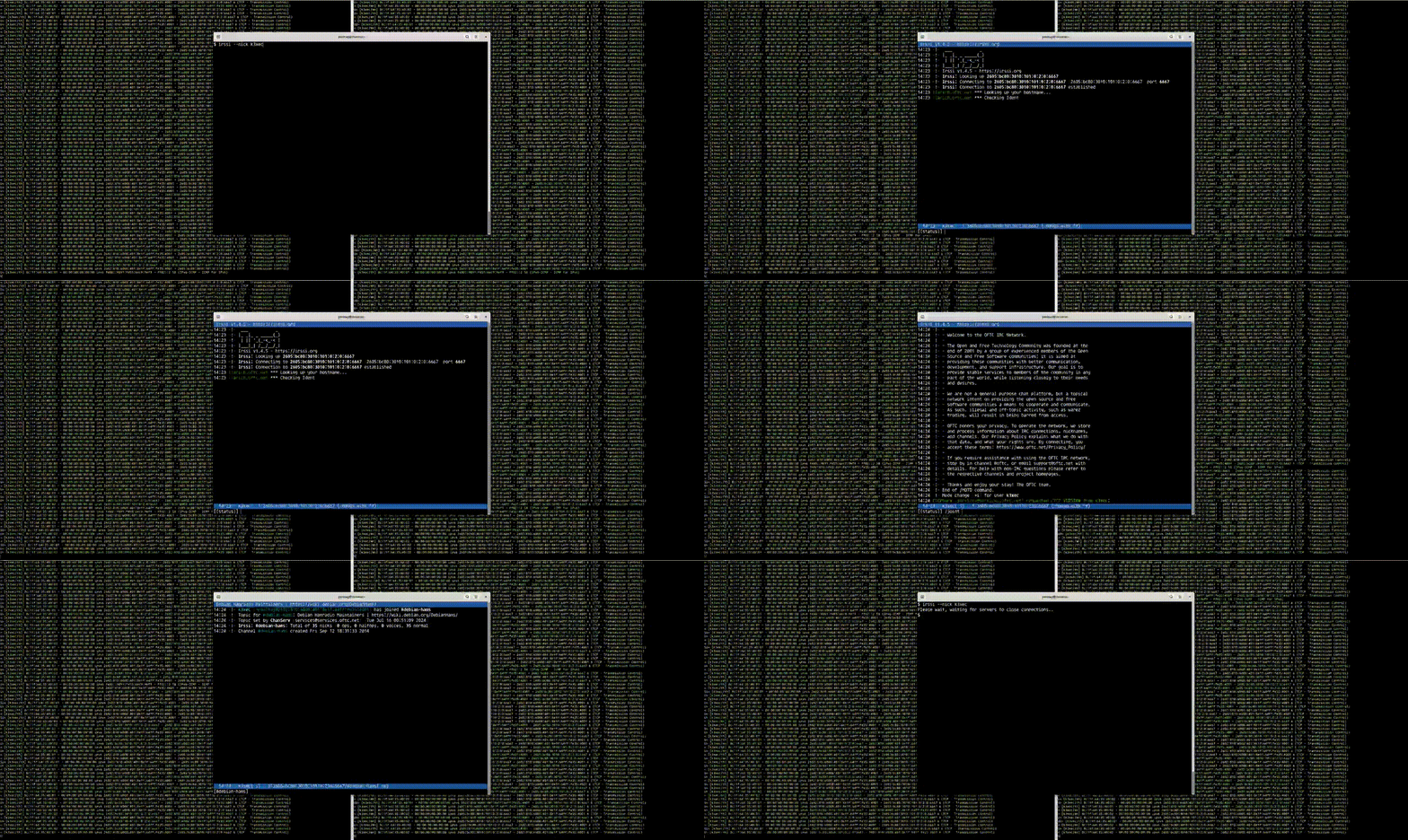
Sweeeeet. That all works! Forget HTTP, let’s do some other 90’s era
stuff, it’s high-time to log into IRC with a quick /connect -notls, and see
what’s going on in the #debian-hams channel – pleased that I got online
fairly quickly, and was able to even talk to myself!
THE GOPHERSPACE
Naturally, let’s keep this train of nostalga running, and give the 2026 gopherspace a shot.
I know the kind folks over at tilde.town (hello, townies!) have a robust gopherspace, so let’s give it a dial! Let’s try and see if we can load vilmibm’s slug over gopher:
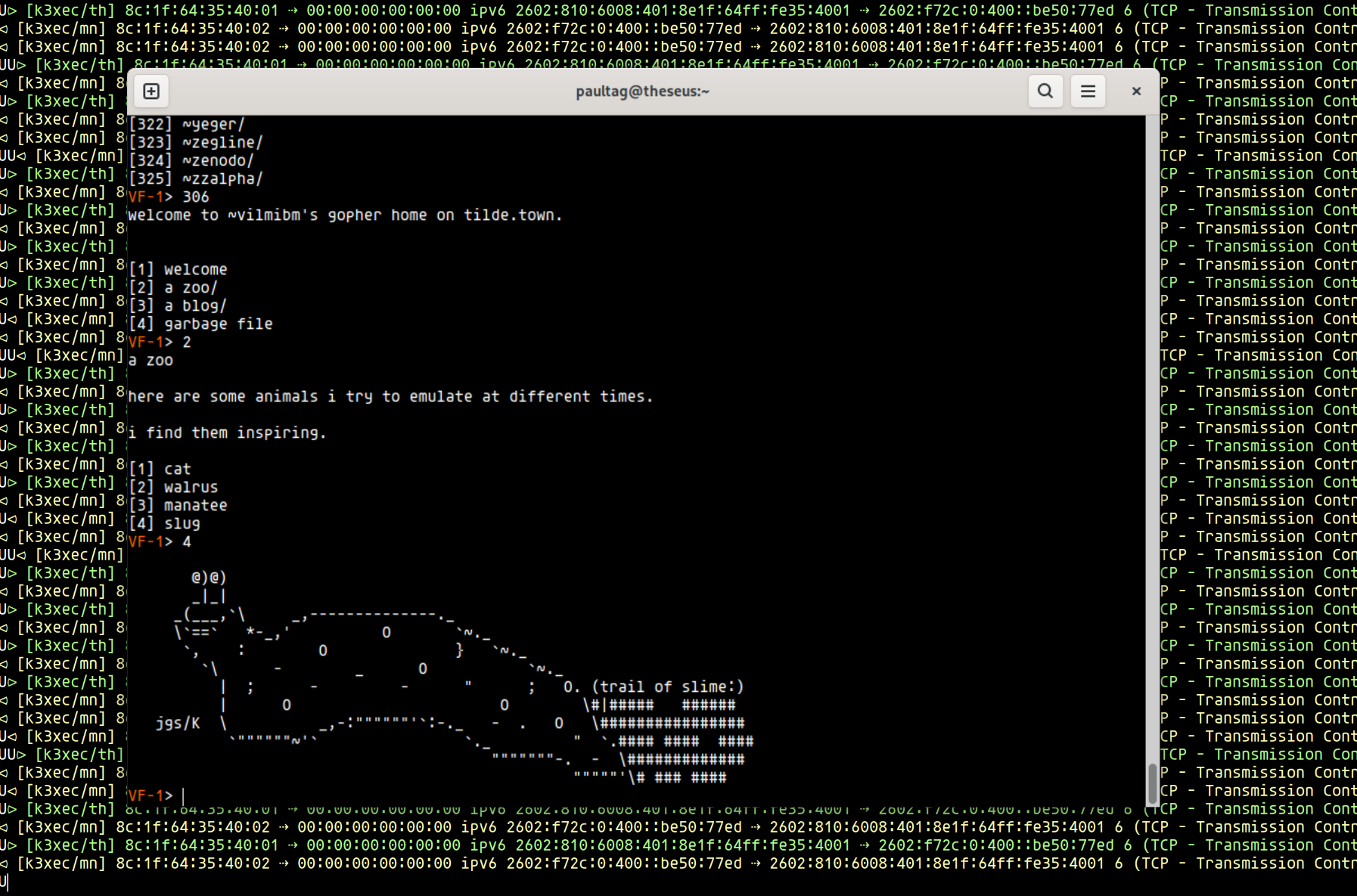
Yes! I forgot to make this one a video, so no gif. I did wind up having a bit if trouble with a few gopher clients and IPv6 support – I may send some patches if I can find the time.
So, what’s next?
Alright, that’s it. I have a few more fun ideas but they’re going to have to
wait for another day. Carrying IP is fun and all but kinda not the point behind
pigeon, after all. Rather than trying to make this into “a thing”, I’m planning
on exploring the loose ends first – different types of modulation schemes
(like QAM-NUC), implementing LDPC error correction and some layer 2 logic
into the pigeond (like switching traffic, and gain control). I also plan
on spending some time with my (currently, very basic) simulator to better dial
in tradeoffs throughout the stack.
Since, structurally, pigeon is something I feel like I can work with, I’m
hoping i’ll be able to find the time for some (much smaller!) followup posts
without it taking 4 years this time. If I do, they’ll show up under the
pigeon tag – and I’ll be sure to update this post with
a link below (and the intro post).
I’m hoping that this series (which was supposed to be one post) was helpful to someone out there – if it was, feel free to reach out and let me know!